
Anúncios
Switching to 5G should feel instant, but many phones stay stuck on 4G due to hidden settings. Here’s how an app can fix that quickly. 📶
If you’ve ever wondered why your phone shows “5G” in the status bar but still loads pages like it’s 2015, you’re not alone. Network configuration issues, carrier restrictions, and buried menu settings often get in the way.
A dedicated app for activating 5G can simplify this entire process, giving you visibility into your connection and control over settings that are normally hard to find.
Why Your Phone Might Not Be Using 5G Properly#
Having a 5G-capable device doesn’t guarantee you’re actually using the network. Several factors can silently keep you on 4G LTE even when 5G towers are nearby.
- Network mode settings: many phones ship with “4G preferred” selected by default
- Carrier provisioning: some SIM cards need a specific APN profile to unlock 5G
- Battery saver modes: aggressive power settings can disable high-bandwidth radios
- Outdated software: missing carrier updates can block 5G handshakes
- Weak signal zones: 5G mmWave has shorter range than 4G towers
Most users never check these settings manually because they’re scattered across different menus — network settings, SIM settings, and sometimes developer options.
The Real Difference Between 5G Sub-6 and mmWave#
Not all 5G is created equal. Sub-6 GHz 5G behaves similarly to 4G in terms of range, covering several kilometers from a tower, but with better speeds (typically 100-400 Mbps).
mmWave 5G, on the other hand, delivers blazing speeds — sometimes over 1 Gbps — but the signal barely passes through walls and drops off within a few hundred meters of the antenna.
This matters because an app that shows you tower type and signal strength helps you understand whether your “slow 5G” is actually a coverage issue, not a settings problem.
What a 5G Activation App Actually Does#
These apps don’t magically unlock hardware that isn’t there. Instead, they help you navigate and optimize settings your phone already has, while giving you diagnostic data most stock settings menus hide.
| Feature | What It Does | Why It Helps |
|---|---|---|
| Network mode scanner | Detects current connection type (5G/4G/3G) | Confirms if you’re really on 5G |
| Signal strength meter | Shows dBm value in real time | Identifies weak coverage spots |
| Tower locator | Maps nearby cell towers | Helps you move to better signal areas |
| APN configuration guide | Walks through carrier-specific settings | Fixes provisioning issues |
| Network mode switcher | Shortcut to toggle preferred network type | Saves time navigating deep menus |
None of this requires rooting your device or installing risky system-level tools. Everything works within standard Android and iOS permissions.
Step-by-Step: Activating 5G With an App#
- Download a reliable network utility app from Google Play or the App Store
- Grant location and phone state permissions (required to read network data)
- Open the network diagnostics screen and check your current connection type
- If it shows “LTE” instead of “NR” (New Radio, the 5G protocol), use the app’s shortcut to network settings
- Select “5G/4G/3G auto” or “5G preferred” depending on your carrier’s terminology
- Restart the phone to force a fresh network handshake
- Recheck the connection status in the app
This process usually takes less than five minutes, but it solves the problem for a surprising number of users who simply never knew the toggle existed.
Common Mistakes That Keep People on 4G#
Beyond settings, there are behavioral habits that unintentionally sabotage 5G performance. Being aware of them avoids wasted troubleshooting time.
- Keeping airplane mode toggles too quick — the phone needs a few seconds to reconnect to the right tower type
- Using a case with metal components that interferes with mmWave signals
- Ignoring carrier update prompts, which often include 5G profile patches
- Ignoring SIM card compatibility — older SIM cards sometimes lack 5G provisioning even on newer phones
- Testing speed indoors without realizing walls block higher-frequency 5G bands
Carrier support pages rarely explain this clearly, which is exactly why standalone network monitoring apps have become so popular.

5G/4G LTE : Cellular Tower
Installs50K+
Size9MB
PlatformAndroid/iOS
PriceFree
Information about size, installs, and rating may change as the app is updated in the official stores.
Comparing Speeds: What You Should Realistically Expect#
Marketing numbers for 5G are often inflated compared to what everyday users experience. Here’s a more grounded comparison based on typical field conditions.
| Network Type | Average Download Speed | Typical Latency |
|---|---|---|
| 4G LTE | 15-50 Mbps | 40-60 ms |
| 5G Sub-6 | 100-300 Mbps | 20-30 ms |
| 5G mmWave | 500 Mbps – 1.5 Gbps | 8-15 ms |
These figures vary heavily by carrier, city density, and time of day, but they give a realistic baseline instead of the “up to 10 Gbps” headlines you often see in ads.
Checking If Your Plan Actually Includes 5G Data#
This part surprises a lot of people: having a 5G phone and living in a 5G coverage area doesn’t mean your plan supports it. Some carriers still sell “4G-only” plans or require a specific add-on for 5G access.
A good network app flags this by showing an “NR not registered” or “5G blocked by carrier” message, instead of leaving you guessing why the signal icon never changes.
Battery Impact and How to Manage It#
5G radios, especially mmWave, consume more power than 4G when actively transmitting at high speeds. This is a trade-off worth understanding rather than avoiding entirely.
- Use adaptive network mode instead of forcing 5G constantly when signal is weak
- Enable 5G only when needed for large downloads or video calls, then switch back if battery life matters more that day
- Monitor temperature — sustained high-speed 5G use can cause mild heating during long sessions
- Check background app refresh settings, since fast networks increase data usage from idle apps too
A network monitoring app helps here by letting you toggle between modes quickly rather than digging through four menu layers every time.
Reading Signal Bars Versus Actual Signal Quality#
Signal bars are a rough visual guide, not an accurate measurement. Two bars on one phone model might represent a completely different dBm value than two bars on another device.
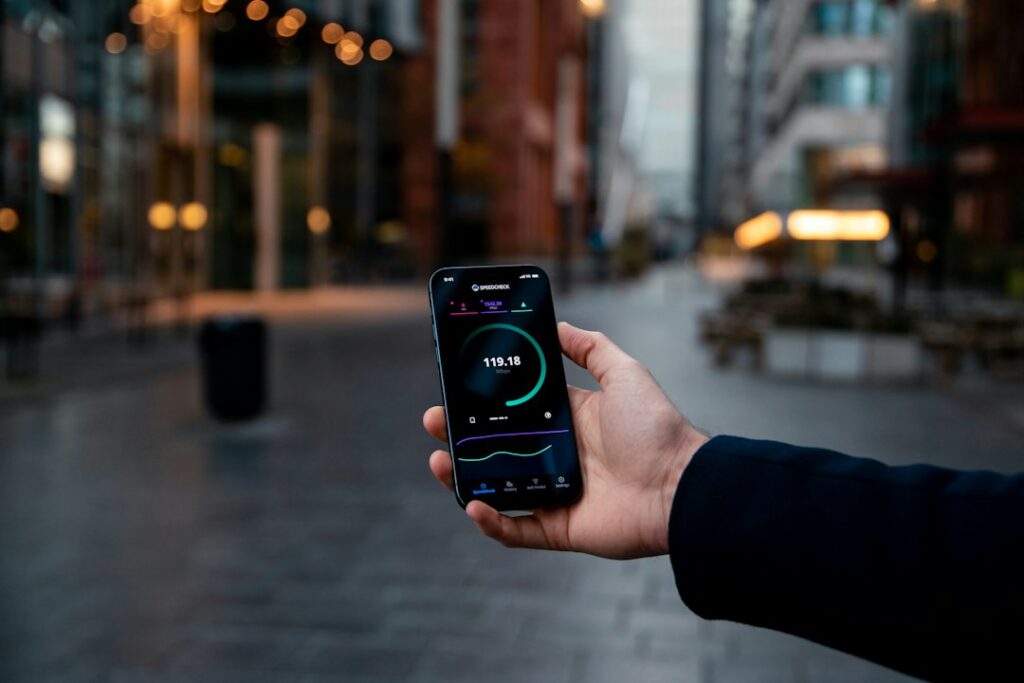
This is why apps that show the actual dBm reading are far more useful. Generally:
- -50 to -70 dBm: excellent signal
- -70 to -85 dBm: good, stable connection
- -85 to -100 dBm: weak, expect slower speeds
- Below -100 dBm: marginal, calls may drop
Knowing these numbers turns vague complaints like “my internet is bad here” into something you can actually diagnose and fix.
Choosing a Reliable Network App Without Overpaying for Features#
The app marketplace is flooded with network tools, and many bundle unnecessary extras like VPN upsells or fake “speed boost” claims. Focus on apps that stick to transparent, measurable features.
Look for these qualities before downloading:
- Clear permission requests (location and phone state only — avoid apps asking for contacts or camera access)
- Real-time signal data instead of static, generic information
- Tower mapping based on actual carrier databases
- No aggressive ad interruptions during core diagnostic screens
- Regular updates matching new 5G band rollouts
Checking recent reviews mentioning specific carrier names (not just generic five-star praise) is usually a solid way to confirm an app works reliably in your region.
Getting consistent 5G isn’t about luck — it’s about visibility into settings that are normally buried three menus deep. Once you can see tower type, signal strength, and network mode in one place, fixing connectivity becomes a five-minute task instead of a frustrating guessing game.
Keep reading
You might also like

Best Antivirus App Options for Complete Device Protection
Choosing the right antivirus app can mean the difference between a protected phone and a compromised one. Here's what actually matters. Mobile…

Best Antivirus App Options for Complete Device Protection
Choosing the right antivirus app can feel overwhelming with dozens of options promising total protection against malware, phishing, and data theft. Smartphones…